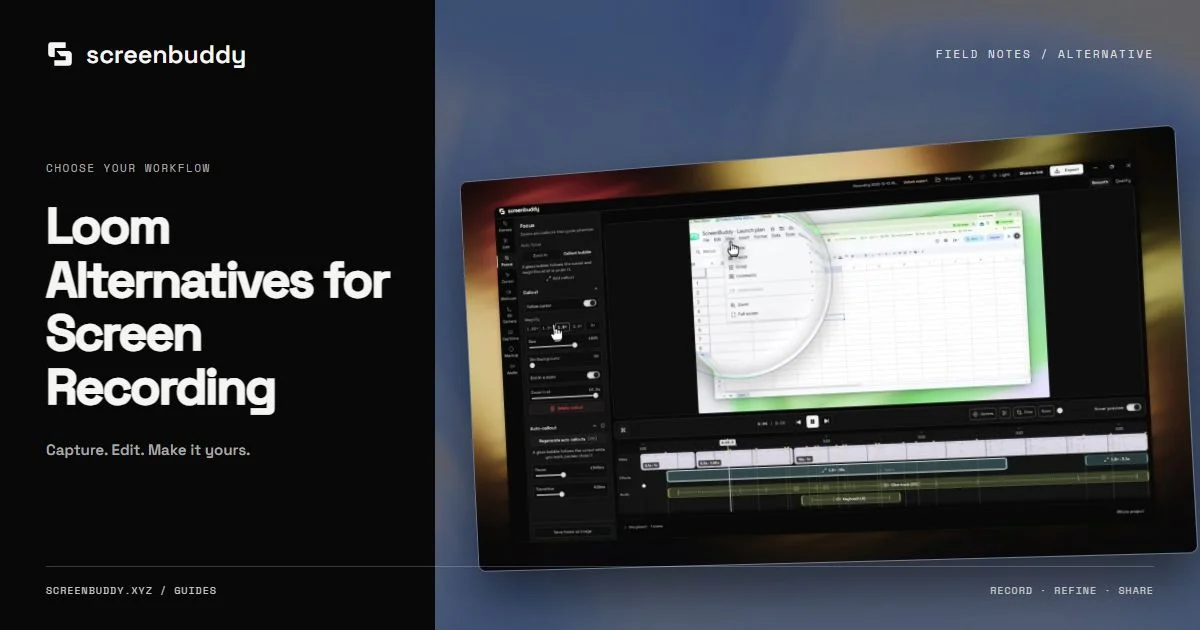
Loom Alternatives for Local Product-Demo Production
Loom is built for a fast cloud link. Compare it with local recording and editing when you need the finished file, editable zoom, and no upload step in between.
Quick answer
Loom is the better tool when a video's job is to be sent: instant links, comments, a shared library, viewer insight, and team administration. A local editor like ScreenBuddy is the better tool when the video's job is to be published — a Mac or Windows recording you shape with editable auto-zoom, spotlight, lightbox, annotations, backgrounds, and framing, then export as an MP4 or GIF you own. Neither is a superset of the other, so decide per video rather than per team. Many teams keep Loom for internal messages and use a local editor for anything a customer will see.
Best for
- Founders and marketers producing launch clips, feature announcements, and landing-page demos
- Teams that already publish through a site, docs, a YouTube channel, or a social feed
- Recordings that should stay on the device from capture through the final edit
Not the best fit for
- Teams that need a hosted library, comments, reactions, and viewer analytics
- One-take async messages where the link matters far more than the edit
- Organizations that require SSO, provisioning, and centralized administration
Loom is a communication system; ScreenBuddy is a production editor
Loom is built around a loop: record, upload, send a link, keep the conversation going in a workspace. The recording is a message. ScreenBuddy starts from the opposite assumption — the raw capture is source material and the finished file is the deliverable. Its timeline, zoom, spotlight, lightbox, cursor treatment, annotations, and framing tools all exist to answer one question repeatedly: where should the viewer look right now. That single difference explains most of the friction people hit when they push one product into the other’s job. A message rarely needs a second pass. A launch clip almost always does.
What people usually mean when they search for a Loom alternative
The phrase covers several unrelated complaints, and they do not point at the same replacement. Some are about the shape of the bill: recurring per-seat billing for a tool that two people use heavily and eleven people use twice a year. Some are about the free plan running out in the middle of a project. Others are editing complaints — trimming the ends is not enough when a customer-facing demo has to draw the eye to one specific control. A smaller group cares about where the file physically lives. Sort your own reason first, because a cheaper cloud recorder fixes the first complaint and none of the others.
- Per-seat recurring billing that grows with headcount rather than with output
- Free-plan caps on how many recordings you keep and how long each one can run
- Editing that stops at trimming, with no way to emphasize a single interface element
- An upload step standing between the recording and anything you can share
- Storage caps that eventually force you to delete older recordings
- Limited control over framing, background, and how the captured window is presented
Read Loom’s current plans before you compare anything
Plan names and caps move. The official Loom pricing page currently lists Starter, Business, Business + AI, and Enterprise options, with per-user recurring pricing on the paid self-serve tiers. Free-plan caps on recording count and length change over time, and so do the specifics of what each tier unlocks. The snapshot further down this page carries the Business figure from the most recent verification pass, with the date attached, and the official source sits in the sources block below it. Use those two things rather than a number you remember from a comparison table — including any table published on this site. ScreenBuddy sells a one-time license, which is a different billing shape, not automatically a cheaper one.
Where the two products stop overlapping
Both tools capture a screen, a window, or a region alongside a microphone and a camera. After the recording stops they diverge almost completely. Loom hands you a link, a player, a comment thread, and viewer data. ScreenBuddy hands you an editor and expects you to direct the footage: refine the zooms it placed from your clicks, dim everything except the control you are naming, cut the dead air where you were reading the screen, then frame the result and export it. Teams that adopt one tool and keep the other are not being indecisive; the feature sets barely intersect past the capture step.
- Auto-zoom placed from your click events, then movable and retimable on the timeline
- Spotlight to keep surrounding context visible, lightbox to isolate one region hard
- Annotations, 18 gradient backgrounds, whole-video crop, and trim
- Cursor resize and smoothing, plus real macOS cursors instead of a generic dot
- 3D device frames with tilt and camera paths for social and landing-page cuts
- Local AI captions, background music, and MP4 or GIF export
Choose the destination before you choose the recorder
The destination predicts the right tool more reliably than any feature list. An internal status update, a sales follow-up, or a code-review walkthrough wants a link and a comment box; Loom removes several steps there, and the edit barely matters. A Product Hunt launch, a paid-ad cut, a README, a docs page, or the demo sitting next to a price wants a portable file you can re-crop, re-cut, and re-upload anywhere. ScreenBuddy produces that file and then gets out of the way. There is no hosted workspace in it, so distribution stays your responsibility. List where your next five videos are going and the split usually resolves itself.
Privacy is a constraint you should be able to name
Cloud storage is not a defect in Loom; it is the mechanism that makes an instant link possible. Take away the upload and there is no product left. ScreenBuddy keeps recording and editing on the device, while internet access is still required for license activation and update checks — so “local” describes the media pipeline, not the whole application. Decide using a constraint you can name out loud. A recording that shows customer data, an unreleased interface, or anything covered by a contract limiting third-party processing is easier to defend when the media never leaves the machine. If viewers need link access tomorrow morning, hosting is the feature, not the flaw.
Seat math, stated honestly
Comparing a per-seat subscription against a one-time license only works if you are candid about what each side buys. Loom’s recurring cost covers hosting, playback, collaboration, viewer insight, and administration — infrastructure somebody has to operate. A one-time desktop license buys production tooling and nothing else; you still need a place to put the finished file. For two people shipping one demo a month, that trade usually favors the desktop tool. For a fifty-person company that already lives inside shared video, swapping Loom for a local editor mostly relocates the work instead of removing it.
- ScreenBuddy trial: Record, edit, and preview free. A one-time license is required to save or export.
- Future updates are included in the current offer.
- Loom’s paid tiers bill per user, so its cost tracks headcount rather than video output
What ScreenBuddy will not do for you
Naming the gaps up front is cheaper than discovering them during a rollout. ScreenBuddy has no hosted library, no share links, no comments or reactions, no viewer analytics, and no SSO or centralized administration. It does not stream live. Editor mode runs on macOS 12 or later on Apple Silicon and Intel plus 64-bit Windows 10 or later; Instant mode is currently macOS-only, and AI caption generation requires an Apple-silicon Mac. If any of those absences touches a requirement your team has already written down, Loom or a hosted competitor is the correct answer and this comparison ends there.
A test that settles it faster than a feature matrix
Pick one feature you genuinely need to explain and record it once in each tool. With Loom, time how long it takes to put a working link in front of the person who needs it. With ScreenBuddy, time how long it takes to remove the dead space, emphasize the two controls that carry the explanation, frame the clip for its destination, and export. Then watch both outputs at the size your audience will actually see — a phone feed, an embedded player, a slide. The products overlap at capture and separate immediately afterward, and one real project makes that gap visible in a way no comparison table does.
A hybrid setup is often the honest answer
Most teams asking this question do not need to standardize on one tool. Keep Loom for the internal loop: bug walkthroughs, async updates, handoffs, reviews, anything where a link and a comment box are the entire point. Use a local editor for the small set of videos that carry weight outside the company — the launch clip, the ad cut, the onboarding video, the demo embedded beside a price. The cost is one extra tool. The benefit is that neither product has to pretend to be the other. Verify current plans and limits on both sides before you standardize on either.
Current competitor snapshot
Loom · Business
$18/monthCloud-first video messaging with instant links, workspaces, comments, and viewer insights.
Best fit: Teams that value immediate sharing, hosted video libraries, collaboration, and engagement insights. Tradeoff: Cloud communication and collaboration are the center of the workflow rather than private local production.
Platforms: Web, macOS, Windows, iOS, Android · Verified Jul 15, 2026
Frequently asked questions
What is the best Loom alternative in 2026?
There is no single answer, because it depends on which part of Loom you are replacing. If you need hosted links, comments, and viewer data, compare Loom against tools built the same way, such as Tella or Cap. If you need a polished, publishable demo file, a local editor like ScreenBuddy is closer to the job. Decide which half of Loom you actually use before shortlisting anything.
Does ScreenBuddy add a watermark to exports like Loom’s free plan?
ScreenBuddy’s trial limits export rather than stamping your preview with branding. No. Record, edit, and preview free. A one-time license is required to save or export. On Loom’s side, branding and plan caps depend on the tier you are on, so confirm the current terms on the official pricing page instead of trusting an older comparison.
Can I add zoom effects to a screen recording?
Yes. ScreenBuddy places zoom moments from your click events, and you can move, retime, or delete each one on the timeline. When a camera move would disorient the viewer, spotlight or lightbox can emphasize a region without changing the framing. Loom’s editor is built for speed rather than for shot-by-shot direction.
Does ScreenBuddy run on both Mac and Windows?
Editor mode supports macOS 12 or later on Apple Silicon and Intel plus 64-bit Windows 10 or later. Instant mode is currently macOS-only, and AI caption generation requires an Apple-silicon Mac.
How much does Loom cost for a team?
Loom’s paid self-serve tiers are billed per user on a recurring basis, so team cost scales with headcount. The competitor snapshot on this page shows the Business figure from the most recent verification pass along with the date it was checked, and the official pricing page is linked in the sources block. Quote that page in a budget, not a secondhand figure.
Does ScreenBuddy replace Loom’s sharing, comments, and analytics?
No. ScreenBuddy produces local files and does not currently provide a hosted library, share links, comments, viewer analytics, or a Loom-style team workspace. Publishing and distribution stay in whichever channel you already use.
Which tool is better for a public SaaS launch video?
A local editor is usually the closer fit, because launch clips need emphasis, tight pacing, framing per platform, and a file you can re-cut without re-recording. Loom is the closer fit when hosted sharing and viewer interaction matter more than presentation polish.
Record once. Direct attention in the edit.
ScreenBuddy runs on Mac and Windows. Record, edit, and preview free. A one-time license is required to save or export. Media processing stays on your device, while activation and update checks require internet access.